GS CurveTools v2 for Autodesk Maya Documentation
For Maya 2018-2027
Links
Introduction
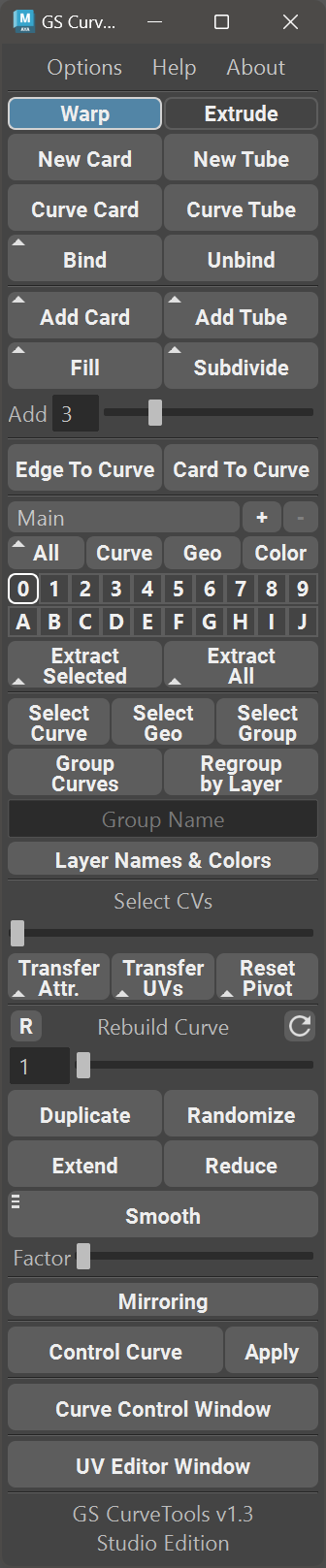
GS CurveTools v2: All-in-one solution for creating and manipulating geometry cards, tubes and braids with ease. From creating hair cards to designing complex braids and beards, GS CurveTools is the perfect tool for any workflow.
At the heart of GS CurveTools v2 is its powerful and performant generator, braid and deformer nodes created specifically for hair cards workflows. GS CurveTools v2 allows you to quickly create new procedural objects (cards, tubes, braids) directly from NURBS curves or XGen descriptions.
The Layer system will help you organize your work quickly, and if you require more control and complexity, there are layer collections to help you out.
Powerful templating allows you to set up the most-used hair cards with their parameters and UVs to quickly reuse throughout the project with one click.
Additionally, GS CurveTools v2 includes intuitive and easy to use curve placement, drawing and sculpting tools.
Place curves directly on the surface of the mesh, blend them with nearby curves and adjust other parameters like root influence and more.
Draw directly on the mesh surface with offsets and other parameters. Select templates to quickly generate new cards with textures right as you draw the curve.
Use Sculpting mode to adjust already placed curves and with the help of additional modes (move, select, extend, reduce, smooth etc) make the exact edits you need.
Orient to Normals will allow you to select all the procedural objects and align them with the mesh in one click.
Fill Plus will allow you to quickly add density to already placed curves. It smoothly blends between selected curves and adjusts for mesh intersections.
Quick hotkeys and marking menus for most used tools and functions, randomization, fast geometry export, and much more.
Main Features of GS CurveTools

Fast creation of procedural geometry cards, tubes and braids.
Conversion of already existing curves to curve cards, tubes and braids.
Conversion of XGen description to curves, cards, tubes, braids, templates with automatic orientation to surface.
Convert any single-sided cards or tubes to NURBS curves or directly to GS CurveTools cards or tubes.
Ability to quickly place cards in between other cards using Fill and increase the density with Fill Plus.
Subdivide selected curves into multiple smaller curves to quickly increase the density.
Fast and intuitive layer and collection system.
Place, Draw and Sculpt curves for quick creation and editing.
Use marking menus for quick switching between the tools and tool modes.
Ability to bind (attach) and unbind any geometry or already existing curve cards, tubes or braids to any curve.
Easy to use filters to quickly show/hide all curves or geometry.
Color mode that will change colors of the cards based on the layer colors with transparency support.
Custom Color and Layer Name Editor.
Regroup by Layer function to organize your curves in the outliner.
Subdivide Selected Curves.
Quickly Extract All geometry for Export, or Extract Selected only. Original Curves stay functional.
Fast selection and grouping of curves.
Interactive UV Editor specifically for procedural objects with Randomization, Lattice and other tools.
Mirror curves easily.
Transfer of attributes and UVs between curve cards, tubes and braids with one click.
Interactive rebuild of existing curves for additional complexity or vice versa, to simplify control.
Duplicate procedural objects with one button.
Randomize created curves attributes to easily add realism.
Smooth/Extend/Reduce created curves.
Control multiple curves with Control Curve deformer.
Custom interactive window for all curve controls that includes templating and other features.
Powerful attributes (controls) for curves, including Twist, Width and Profile along the curve.
Extremely fast to save and load the scenes even with thousands of cards.
and much more…
Supported Platforms and Versions
Maya 2018-2027 for Windows ⇨ Fully Tested and Supported.
Maya 2018-2027 for Mac ⇨ Not Supported for v2. Still supported for v1.3+.
Linux ⇨ Not Tested and Not Supported.
Maya LT ⇨ Not Tested and Not Supported.
Maya 2017 ⇨ Is no longer supported since v1.2.7
Table of Contents:
- Home
- Changelog
- Version 2.0.3
- Version 2.0.2
- Version 2.0.1
- Version 2.0.0
- Version 1.3.19
- Version 1.3.18
- Version 1.3.17
- Version 1.3.16
- Version 1.3.15
- Version 1.3.14
- Version 1.3.13
- Version 1.3.12
- Version 1.3.11
- Version 1.3.10
- Version 1.3.9
- Version 1.3.8
- Version 1.3.7
- Version 1.3.6
- Version 1.3.5
- Version 1.3.4
- Version 1.3.3
- Version 1.3.2 Hotfix 2
- Version 1.3.2 Hotfix 1
- Version 1.3.2
- Version 1.3.1
- Version 1.3 Hotfix 1
- Version 1.3
- Version 1.2.10
- Version 1.2.9
- Version 1.2.8
- Version 1.2.7
- Version 1.2.6
- Version 1.2.5
- Version 1.2.4
- Version 1.2.3
- Version 1.2.2
- Version 1.2.1
- Version 1.2
- Version 1.1.5
- Version 1.1.4
- Version 1.1.3
- Version 1.1.2
- Version 1.1.1
- Version 1.1
- Version 1.0.15
- Version 1.0.1
- Version 1.0.05
- Version 1.0
- Video Tutorials
- Version 2.0 Release Video
- Workflow Tutorial
- Full Tutorial
- Version 1.3.17 Minor Update
- Version 1.3.14 Minor Update
- Version 1.3.3 Minor Update
- Version 1.3.2 Minor Update
- Version 1.3 Major Update
- Version 1.2.8 New Features
- Version 1.2.7 New Features
- Version 1.2.5 New Features
- Version 1.2.4 New Features
- Version 1.2 Major Update
- Version 1.1 Major Update
- Version 1.0
- Installation
- Main Menu and First Steps
- Creating Cards, Tubes and Braids
- Curve Attributes
- Textures and UVs
- UV Editor
- Templates
- Controls and Tools
- Bind/Unbind/Unpack Functions
- Conversion Window
- Fill Plus Window
- Layers
- Color Mode and Layer Customization
- Layer Collections
- Quick Selection and Grouping
- Importing and Exporting Curves
- Orient to Normals
- Scaling Curves
- Utility Functions
- Advanced Visibility
- Scale Factor
- Hotkeys and Marking Menus
- Options Menu
- Settings Menu
- Useful Tips
- Questions, Issues and Solutions